How to Fix Sudden CTR Drops on Social Media (Step-by-Step Guide)
Highlighting trends in digital performance often feels like watching a steady heartbeat on a monitor, until one day, the line flatlines. I have spent 14 years in the trenches of social media operations, and I have seen this happen to some of the most established brands in the world. I remember sitting in a glass-walled conference room four years ago, staring at a dashboard for a major retail client. Their click-through rates had plummeted by 60% in a single weekend. The room was tense, the CMO was looking for answers, and the pressure to find a “quick fix” was suffocating.
But there are no quick fixes in brand protection and recovery. When you see a sudden dip in user engagement or a sharp decline in link clicks, you are not just looking at a number; you are looking at a symptom of a deeper operational or reputational issue. My career has been defined by these moments—diagnosing why a once-thriving account has suddenly gone dark in the eyes of the algorithm. This guide is built from those experiences, focusing on the methodical steps required to identify triggers and rebuild your digital presence.
Deciphering Sudden Shifts in Content Engagement
This process involves isolating variables to determine if a performance drop stems from external platform updates or internal creative missteps. By analyzing specific metrics like click-through rates and impression volume, specialists can identify whether the issue is a temporary glitch or a deeper algorithmic penalty.
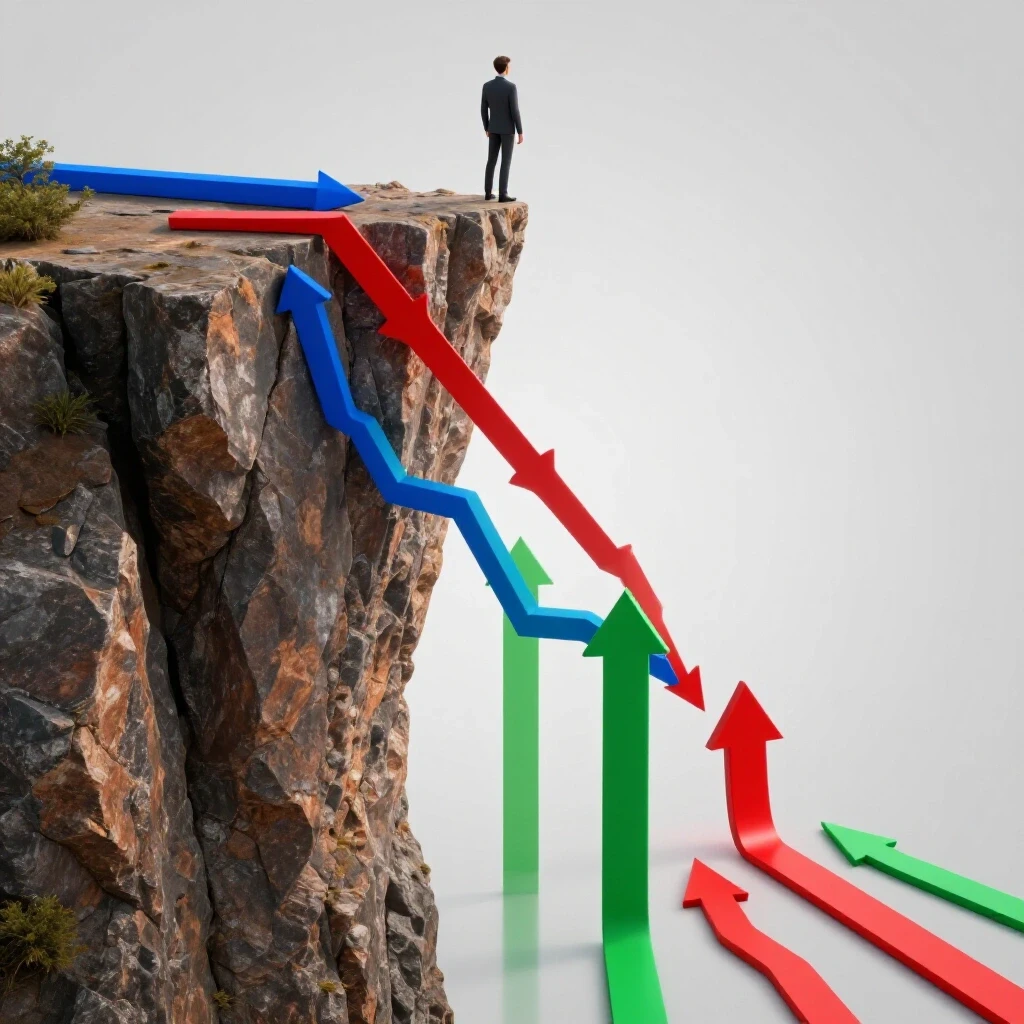
When engagement numbers fall off a cliff, your first instinct might be to panic and change everything. I have learned that the most effective response is a disciplined pause. You must distinguish between creative fatigue—where your audience is simply tired of seeing the same image—and a systemic delivery issue. In my experience, a sudden drop that happens across all active campaigns usually points to a platform-level restriction or a significant shift in how the delivery engine prioritizes your content.
To begin an engagement drop resolution, you need to look at the “Reach Velocity.” This is a term I use to describe how quickly your content moves from being posted to hitting its first 10,000 impressions. If your reach velocity has slowed by more than 30% without any change in your ad spend or posting frequency, you are likely facing a delivery throttle. This often happens when the platform’s automated safety systems flag your account for a “Content Moderation Threshold” violation, which is a fancy way of saying your recent posts have triggered too many negative user signals.
- Check your “Report-to-View” ratio. If more than 0.2% of viewers are marking your content as “Not Interested” or “Report,” the platform will naturally suppress your reach.
- Review your “Frequency” metrics. If your audience is seeing the same ad more than four times in a week, your click-through rates will naturally decay.
- Compare your current performance against a 90-day baseline to see if this is a seasonal trend or a unique anomaly.
| Diagnostic Factor | Symptom | Likely Root Cause |
|---|---|---|
| Reach Velocity | 30%+ drop in first-hour impressions | Algorithmic penalty or shadowban |
| Engagement Variance | High impressions but near-zero clicks | Creative fatigue or poor audience targeting |
| Sentiment Index | Surge in negative comments/reports | Brand reputation crisis or public backlash |
| Delivery Consistency | Erratic daily spend or “Learning Phase” resets | Technical bid errors or account-level flags |
Navigating Algorithmic Penalty Diagnosis and Reach Suppression
Algorithmic penalties are automated restrictions placed on accounts that deviate from platform safety guidelines. Understanding these triggers is essential for audience reach recovery, as it allows managers to pinpoint exactly which content pieces caused the platform to limit visibility across the broader user base.
During my time managing a high-profile lifestyle brand, we faced a sudden “shadowban.” A shadowban, or search suppression, is when your content still exists on the platform, but it is effectively invisible to anyone who does not already follow you. It doesn’t show up in search results, explore pages, or hashtag feeds. We didn’t get a notification or an email; we just saw our non-follower reach drop to zero.
This usually happens because of “Brand Safety Validation” protocols. Platforms use AI to scan for “borderline content”—material that doesn’t quite break the rules but comes close to being offensive, spammy, or low-quality. If you have been running a recovery campaign, you must first audit your last 30 days of activity. Look for anything that might have been flagged by an automated system, such as repetitive links, overly aggressive “click-bait” headlines, or even technical errors in your metadata.
Identifying Social Media Shadowbans and Visibility Blocks
A shadowban occurs when a platform limits a brand’s discoverability without providing a formal notification. This subtle form of reach suppression often manifests as a total lack of non-follower impressions, requiring a meticulous audit of recent posts and community interactions to resolve.
To verify a shadowban, I recommend the “Search Isolation Test.” Have five people who do not follow your brand account search for your exact username. If you do not appear in the top results, or if your recent posts do not show up under your branded hashtags, you are likely suppressed. This is a common hurdle in audience reach recovery. The cause is often a “Policy Scoring” dip, where the platform’s trust in your account has fallen below a certain level due to recent flags or low-quality engagement.
- Use a secondary, “clean” account to check if your content appears in the “Explore” or “For You” sections.
- Review your “Account Status” or “Support Inbox” within the platform settings for any hidden warnings.
- Stop all automated posting tools for 48 hours to ensure the platform doesn’t mistake your activity for a bot.
Understanding Content Moderation Thresholds and Flags
Content moderation thresholds are the invisible limits set by platforms to catch “bad actors” before they go viral. If your brand accidentally uses a banned keyword or if a competitor’s bot farm starts reporting your posts, you might hit these thresholds. In my experience, once you hit a threshold, your reach will be throttled for a “cool-down” period, which typically lasts 7 to 14 days.
- Audit your captions for “engagement bait” phrases like “Share this” or “Click the link in bio” which can trigger spam filters.
- Check for “Image Hash Collisions,” which happen if you use a stock photo that has been previously flagged by other accounts for being low-quality.
- Monitor your “Sentiment Index”—the ratio of positive to negative reactions—to see if a specific post caused a spike in user reports.
Managing Audience Crisis and Reputation Recovery
Rebuilding trust after a public relations setback requires a shift from promotional content to community-focused dialogue. This strategy focuses on brand reputation recovery by addressing negative feedback directly and demonstrating a commitment to transparency and user safety.
I once worked with a brand that faced a massive backlash after an insensitive tweet went viral. Their click-through rates didn’t just drop because of the algorithm; they dropped because the audience was actively boycotting the brand. People weren’t clicking because they were angry. In this situation, you cannot “optimize” your way out of the problem. You have to engage in audience crisis management.
The recovery period for a reputation-based drop is much longer than a technical one. You are looking at a “Baseline Rehabilitation Period” of 30 to 90 days. During this time, your goal isn’t to get high click volumes; it is to stabilize your sentiment. If you try to push sales while the audience is still upset, you will only trigger more reports and further algorithmic penalties.
- Implement a “Containment Phase” where you pause all automated ads to prevent them from appearing next to negative news.
- Use “Social Listening Tools” to track the volume of negative mentions and wait for the “Sentiment Index” to return to a neutral baseline.
- Launch a “Transparency Campaign” that focuses on the brand’s values rather than products, helping to rebuild the trust that drives clicks.
Executing a Systematic Technical Audit
A technical audit is a deep-dive investigation into the backend settings and data logs of a social media account. It aims to find “silent failures” like broken links, tracking pixel errors, or bid strategy conflicts that cause sudden performance declines.
Sometimes, the reason for a drop is purely technical. I remember a case where a client’s reach plummeted because their tracking pixel was firing twice on every click. This confused the platform’s delivery algorithm, making it think the traffic was fraudulent. The algorithm responded by cutting off the impressions to “protect” the brand’s budget.
When you are conducting a root cause analysis, you must check the “plumbing” of your account. This includes your ad account health, your domain verification status, and your tracking setup. If the platform thinks your website is slow or unsafe, it will stop sending people there, regardless of how good your creative looks.
- Verify Domain Health: Use tools like Google Safe Browsing to ensure your URL hasn’t been blacklisted.
- Test Landing Page Speed: If your page takes more than 3 seconds to load, platforms will penalize your ad delivery.
- Check Pixel Connectivity: Ensure your conversion events are tracking correctly and aren’t sending duplicate data.
- Review Bid Strategies: If you are using “Lowest Cost” bidding, a sudden surge in market competition can cause your ads to stop delivering entirely.
- Audit Ad Placements: Sometimes a drop occurs because your ads are being shown in low-quality placements (like inside mobile games) where clicks are often accidental or ignored.
Communicating Recovery Metrics to Stakeholders
Effective communication with upper management during a crisis involves translating complex technical data into clear, actionable business insights. This ensures that leadership understands the timeline for recovery and the necessity of a methodical, data-backed approach.
One of the hardest parts of my job is explaining to a stressed CEO why their reach has disappeared. They want results “yesterday,” but as I always tell them, “You can’t rush the algorithm.” When communicating a performance dip, I use a “Recovery Phase Timeline.” This helps manage expectations by showing that we are in a multi-step process.
You should report on “Incremental Engagement Checks” rather than just total clicks. If your click-through rate is slowly climbing from 0.5% to 0.7%, that is a sign of progress, even if it’s still below your 2% goal. Showing that the “Reach Velocity” is stabilizing provides proof that your recovery campaign is working.
- Phase 1: Diagnosis (Days 1-3): Identifying the trigger and pausing problematic content.
- Phase 2: Containment (Days 4-7): Cleaning up the account and submitting necessary appeals.
- Phase 3: Re-Entry (Days 8-21): Running low-budget, high-engagement “trust-building” posts.
- Phase 4: Optimization (Days 22+ ): Gradually scaling back to original performance levels.
Submitting Platform Appeals and Navigating Support
The appeal process is the formal way to ask a platform to review a penalty or restriction on your account. It requires a detailed, evidence-based submission that proves your brand is in compliance with all community and advertising guidelines.
If you have identified an algorithmic penalty, you may need to file an appeal. This is rarely a fast process. In my experience, most platform appeals take between 5 and 15 business days to be reviewed. The key is to be extremely specific. Don’t just say, “Our reach is down.” Say, “We have observed a 50% drop in non-follower reach starting on [Date], which coincides with a manual review of [Specific Post]. We have since removed that post and audited our account for compliance.”
Avoid sending multiple tickets for the same issue. This often resets your place in the queue. Instead, provide a single, comprehensive document that includes screenshots of your “Account Quality” dashboard and evidence that you have addressed any potential policy violations.
- Use the “Account Quality” tool in Meta Business Suite or the “Professional Dashboard” on other platforms to find specific violations.
- Prepare a “Compliance Audit” document to show support agents that you have taken the issue seriously.
- Maintain a polite, professional tone; the person reviewing your appeal is often a human moderator who has the power to restore your reach.
Implementing Ongoing Account Audits for Long-Term Protection
Ongoing account audits are proactive checks designed to catch potential issues before they become full-blown crises. By regularly monitoring “Account Health” scores and user feedback, brands can maintain a high level of trust with both the audience and the platform.
Recovery is not a one-time event; it’s a change in how you manage your operations. To prevent future engagement drop resolutions, I recommend a monthly “Brand Safety Audit.” This involves reviewing your sentiment trends, checking your report-to-view ratios, and ensuring your technical tracking is still accurate.
In my 14 years of experience, the brands that survive and thrive are the ones that treat their social media accounts like high-performance engines. They don’t just put gas in and drive; they check the oil, monitor the gauges, and listen for strange noises. If you catch a slight dip in your click-through rate early, you can often fix it with a simple creative refresh before it turns into a site-wide penalty.
- Schedule a monthly “Creative Refresh” to prevent audience saturation.
- Monitor your “Account Health” score weekly to catch any hidden flags.
- Keep a “Crisis Playbook” updated with current platform support contacts and appeal templates.
Summary of Recovery Benchmarks
Restoring an account’s reach is a methodical process. While every situation is unique, these benchmarks provide a realistic expectation for the recovery timeline.
- Initial Diagnosis: 24–72 hours to identify the root cause.
- Shadowban Duration: Typically 14 days if the offending content is removed.
- Reputation Recovery: 30–90 days to return to a neutral sentiment index.
- Appeal Response Time: 5–15 business days for a platform review.
- Reach Restoration: 2–4 weeks of consistent, high-quality posting to “reset” the algorithm’s trust.
Frequently Asked Questions
How can I tell if my drop in clicks is due to an algorithm change or my own content? Check your reach first. If your impressions are still high but your clicks are low, the problem is your content or “creative fatigue.” If both your impressions and clicks have dropped significantly and suddenly, you are likely facing an algorithmic penalty or reach suppression.
What is a “Sentiment Index” and how do I track it? A Sentiment Index is a score that measures the ratio of positive to negative interactions on your account. You can track this using social listening tools. A sudden spike in negative sentiment is a leading indicator that the platform’s safety systems may soon throttle your reach.
How long does it take to recover from a social media shadowban? In most cases, a shadowban lasts 14 days. However, this only applies if you stop the behavior that caused the ban. If you continue to post flagged content or use automated bots, the restriction can become permanent.
Should I delete posts that have low engagement to “fix” the algorithm? No. Deleting posts doesn’t usually help your standing with the algorithm. Instead, focus on why those posts failed. If they were flagged for policy violations, it is better to “Archive” them or use the platform’s official “Request Review” feature.
What are the most common “silent” technical errors that kill performance? Broken tracking pixels, slow landing page load times, and domain blacklisting are the most common. If a platform’s “Crawler” cannot easily read your website, it will stop sending traffic there to protect the user experience.
Can a competitor’s actions cause my reach to drop? Yes, unfortunately. “Negative SEO” or “Report Spamming” can trigger automated moderation thresholds. This is why monitoring your “Account Quality” dashboard is essential; it allows you to see if you are being unfairly targeted so you can appeal the flags.
Is it better to start a new account if my current one is penalized? Rarely. Platforms can often detect “Ban Evasion” by tracking your IP address, device ID, or payment information. It is almost always better to go through the methodical process of brand reputation recovery on your existing account.
How do I explain a 50% drop in traffic to my boss without sounding incompetent? Focus on the data. Present the “Root Cause Analysis” and the “Recovery Phase Timeline.” Explain that the drop is a symptom of a platform-level shift or a specific technical trigger that you are already working to resolve through a data-backed recovery campaign.
What is “Reach Velocity” and why does it matter? Reach Velocity is the speed at which your content gains its first set of impressions. A sudden drop in this speed is the most reliable “early warning sign” that your account has been flagged for reach suppression.
What should I do in the first 24 hours of a performance crash? Stop all automated posting, audit your most recent five posts for policy violations, check your “Account Quality” status, and run a “Search Isolation Test” to see if you have been shadowbanned. Do not make any major creative changes until you have identified the root cause.
(This article was written by one of our staff writers, Andrew Collins. Visit our Meet the Team page to learn more about the author and their expertise.)