How to Fix Social Ads by Updating Landing Pages (Case Study)
For years, I have watched marketers treat the “install” phase of a pixel as the finish line. In reality, focusing on the ease of installation is often a trap that hides deeper technical flaws. I have spent over a decade diagnosing why a perfectly configured ad campaign suddenly stops producing data or results in an account ban. Most of the time, the issue isn’t the ad itself, but a breakdown in the technical relationship between the ad and its destination.
When a campaign fails, the platform usually provides a vague error message. You might see “Low Conversion Volume” or “Destination Experience Policy Violation.” These alerts don’t tell you how to fix the problem. They only tell you that the bridge between the platform and your server has collapsed. To restore performance, we have to look at the backend infrastructure, from script execution order to server-side API handshakes.
Auditing the Post-Click Experience for Hidden Technical Friction
This process involves examining the gap between an ad click and the final conversion event to identify where data or users drop off due to technical or structural errors. It is a methodical trace of the user journey from the browser to the database.
In my experience, technical troubleshooting marketing starts with a “silent failure” audit. A silent failure happens when the ad is active and spending money, but the pixel isn’t recording events correctly. This often stems from destination friction. For example, if your landing page takes four seconds to load, the tracking script might not fire before the user bounces. This creates a massive discrepancy between “Link Clicks” in the ad manager and “Page Views” in your analytics.
I once worked on a project where the client saw a 40% drop in reported leads despite no changes to the ad creative. After a deep dive into the browser console, I found that a new cookie consent banner was blocking the conversion pixel from loading until the user interacted with the popup. Because most users scrolled past the banner to read the content, the pixel never fired. We had to refactor the script loading priority to ensure compliance without sacrificing data integrity.
Identifying Discrepancies Between Browser Events and Server Signals
This step requires comparing client-side pixel fires with server-side API payloads to ensure all actions are recorded correctly. It helps bridge the gap caused by ad blockers and privacy settings that prevent browser-based tracking.
Browser-side tracking is no longer enough. When you rely solely on a pixel in a user’s browser, you are at the mercy of their settings. If they use a private browser or an ad blocker, your data disappears. This is why we use Server-Side API (CAPI) integrations. A server-side handshake sends data directly from your website’s server to the ad platform’s server. This bypasses the browser entirely, providing a more stable stream of information.
- Browser-Side Tracking: Fast to set up but easily blocked by browser privacy tools.
- Server-Side Tracking: More secure and reliable, requiring an API token and server configuration.
- Event Match Quality (EMQ): A score from 1 to 10 that shows how well the platform can link your server data to a specific user profile.
| Error Message | Likely Technical Cause | Recommended Fix |
|---|---|---|
| Missing Deduplication | Same event sent via Pixel and API without unique IDs. | Add ‘event_id’ parameter to both payloads. |
| Low Event Match Quality | Insufficient hashed user data (email, phone) sent to API. | Enhance data layer to capture more user signals. |
| Destination Not Working | Server response time exceeds 5 seconds or 404 error. | Check server logs and optimize image assets. |
| Pixel Loading Latency | Tracking script placed at the bottom of the body tag. | Move script to the head or use a tag manager. |
Realigning Destination Architecture to Resolve Policy Disapprovals
This involves adjusting the structure and content of a landing page to meet platform safety and transparency standards. These adjustments prevent ad account freezes and ensure that the “relevance score” of your destination remains high.
Ad platforms use automated crawlers to scan your destination pages. If the crawler finds a mismatch between the ad’s promise and the page’s content, it flags the account. I have seen accounts banned simply because the landing page lacked a clear privacy policy link or used “bridge page” tactics—where a page exists only to redirect users elsewhere. To fix this, we must ensure the backend code is transparent and the metadata matches the ad copy.
One of the most common technical roadblocks is the “Redirect Loop.” If your ad points to an HTTP URL but your server forces a redirect to HTTPS, the platform’s crawler might view this as a suspicious cloaking attempt. Ensuring a direct, secure handshake from the start is vital for maintaining account health.
Optimizing Loading Latency and Script Execution Order
This technical fix prioritizes critical page elements and tracking scripts to reduce bounce rates. It ensures the pixel fires as early as possible in the page-load sequence, capturing data even from fast-moving users.
When a user clicks an ad, a race begins. The browser has to download the HTML, request the CSS, execute JavaScript, and finally fire the tracking pixel. If your page is heavy with unoptimized images or third-party scripts, the “Time to Interactive” (TTI) increases. For technical specialists, the goal is to reduce this latency to under 2 seconds.
- Minify JavaScript: Remove unnecessary characters from your tracking scripts to speed up execution.
- Lazy Loading: Delay the loading of non-essential images so the tracking pixel can fire first.
- CDN Usage: Use a Content Delivery Network to serve your landing page from a server closer to the user.
- Async vs Defer: Use the “async” attribute for your pixel scripts so they don’t block the rest of the page from rendering.
Case Study: Resolving a 40% Attribution Gap via Destination Refactoring
This section details a project where changing the page’s technical backend and layout restored tracking accuracy and ROAS. We moved from a generic, slow-loading template to a high-performance, API-integrated destination.
I recently managed a campaign for a high-volume lead generation site. The initial setup used a standard browser pixel. However, we noticed that for every 100 clicks, only 60 “Page View” events were recorded. This 40% gap was halting our ability to scale. The ad spend was high, but the data suggested the ads weren’t working.
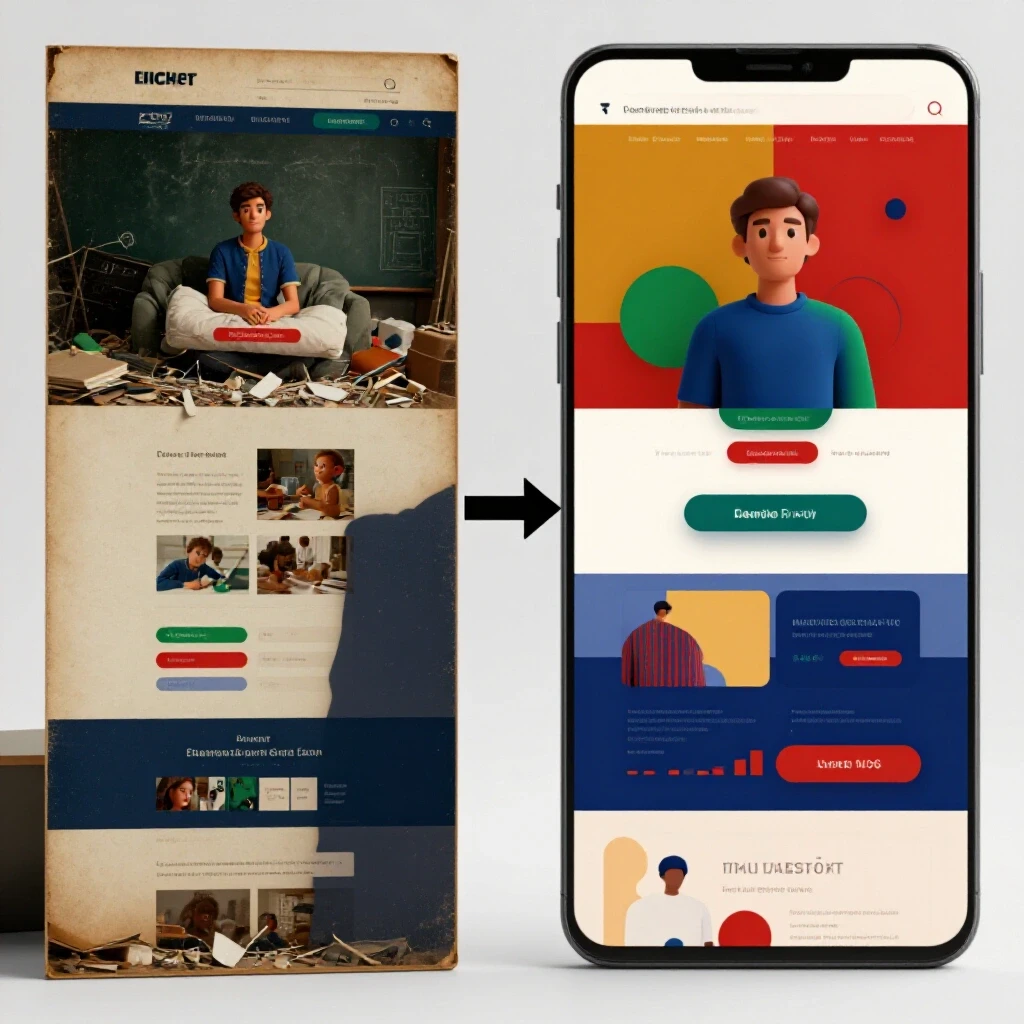
Upon investigation, I found that the landing page used a heavy video background that took 3.5 seconds to load on mobile devices. Most users were clicking the ad, waiting two seconds, and leaving before the pixel script even initialized. We refactored the page by replacing the video with a compressed image and moving the pixel to a server-side configuration using a modern conversion API.
- Pre-Fix Metric: 60% Event Match Quality, 3.5s Load Time, 40% data loss.
- Post-Fix Metric: 92% Event Match Quality, 1.2s Load Time, <5% data loss.
- Result: The platform’s algorithm finally had enough data to optimize. Within two weeks, the cost per lead dropped by 22% because the “signal” we sent back to the platform was finally accurate.
Troubleshooting Broken Conversion Tags and Event Mismatches
This process involves using debugging tools to verify that every user action triggers the correct data payload. It ensures that a “Purchase” event is only counted when a transaction is actually completed in the database.
A common mistake is the “Double Fire” error. This happens when a conversion tag is placed on both the “Add to Cart” button and the “Thank You” page, or when a page refresh triggers a second event. To solve this, we implement “Transaction IDs.” When a conversion occurs, the server generates a unique ID. If the platform receives two events with the same ID, it discards the duplicate.
To verify these events, I use tools like the browser’s “Network” tab to inspect the outgoing XHR requests. You should look for a “200 OK” status code. If you see a “400” or “500” error, the data is hitting a wall. This usually means your API token has expired or your JSON payload is formatted incorrectly.
Technical Troubleshooting Marketing Framework for Destination Fixes
This is a step-by-step approach to diagnosing whether a campaign failure is due to the ad itself or the destination site’s technical setup. It provides a structured path from error identification to resolution.
When a campaign stops performing, I follow a specific diagnostic blueprint. First, I check the “Event Match Quality” (EMQ) in the platform’s Event Manager. If the score is below 6.0, the issue is data attribution. Next, I run a speed test to check for loading latency. Finally, I audit the security protocols of the landing page.
- Step 1: Data Tracing. Use a pixel helper tool to see if events fire in real-time.
- Step 2: Payload Verification. Check if the server-side API is sending the correct hashed user data (e.g., em for email, ph for phone).
- Step 3: Security Review. Ensure the SSL certificate is valid and there are no mixed-content warnings (HTTP elements on an HTTPS page).
- Step 4: Database Match. Compare the number of leads in your CRM with the number of conversion events in the ad platform. A discrepancy of over 10% requires immediate investigation.
| Metric | Target Benchmark | Warning Limit |
|---|---|---|
| Pixel Loading Time | < 500ms | > 1.5s |
| Event Match Quality (EMQ) | 8.0 – 10.0 | < 6.0 |
| Data Discrepancy (CRM vs Platform) | < 5% | > 10% |
| API Feedback Loop Average | < 1 hour | > 24 hours |
| Server Response Time (TTFB) | < 200ms | > 600ms |
Security Protocols and Data Integrity in Social Advertising
Implementing robust security measures like HTTPS and secure API handshakes is essential to maintain platform trust and user privacy. Without these, your ad account is at constant risk of being flagged for “Unacceptable Business Practices.”
Modern ad platforms are highly sensitive to data leaks. If your landing page transmits user data over an unencrypted connection, it is a security threat. I always ensure that every form on a destination page uses a secure POST method and that the API tracking restoration involves a dedicated, restricted-access API token.
Another critical security step is “Sandboxing.” Before deploying a new tracking script or a major page change, I test it in a staging environment. This allows me to verify that the new code doesn’t break existing conversion tracking or cause a sudden drop in page speed. Sandboxing prevents the “all-stop” technical roadblocks that happen when a live site crashes during a major ad spend.
Implementing Modern Conversion APIs (CAPI)
Server-side frameworks are the future of backend attribution fixes. They allow for a “first-party” data relationship where you control exactly what information is shared with the platform, ensuring compliance with privacy laws like GDPR and CCPA.
Setting up a CAPI integration usually involves creating a “Gateway.” This is a small piece of software that sits on your server or a cloud provider (like AWS or Google Cloud). It receives signals from your website and formats them into a “Payload” that the ad platform understands.
- Generate Access Token: Secure this in your server’s environment variables; never hardcode it into the front-end.
- Map Events: Ensure your “Lead” event on the website matches the “Lead” event name in the API documentation.
- Test in Preview Mode: Most platforms offer a “Test Events” tool where you can see the server-side signals arriving in real-time.
- Monitor Deduplication: Verify that the “event_id” is identical for both the browser pixel and the server API to avoid double-counting.
Setting Up Automated Alert Frameworks for Daily Tracking Logs
The final step in a methodical troubleshooting setup is automation. You cannot manually check your pixels every hour. Instead, we use automated logs and alerts that notify us the moment a conversion drop-off occurs.
I use a combination of custom scripts and platform-native alerts. For instance, I set a rule that sends an email if the “Conversion Rate” drops by more than 30% over a 6-hour period. This allows me to catch technical issues—like a broken “Submit” button or a server outage—before thousands of dollars are wasted on non-converting traffic.
- Log Monitoring: Regularly check your server’s error logs for “4xx” or “5xx” status codes on your landing pages.
- Pixel Health Alerts: Use the platform’s built-in diagnostic tools to receive notifications about “New Domain” alerts or “Missing Parameters.”
- Weekly Audits: Once a week, perform a manual test conversion to ensure the data flows all the way from the ad click to your internal database.
By shifting the focus from simple ad creative to the deep technical infrastructure of the destination, we can resolve the vague errors that plague most specialists. This methodical approach ensures that every dollar of ad spend is backed by accurate data and a secure, high-performing backend.
Frequently Asked Questions
Why does my ad manager show more clicks than my landing page shows views? This is usually caused by loading latency. If your page takes too long to load, the user may leave before the tracking script fires. It can also be caused by “Link Click” counting, which includes clicks on the ad’s profile picture or “Read More” button, not just the destination link.
What is the difference between browser-side and server-side tracking? Browser-side tracking happens in the user’s web browser (using a pixel). It is easy to block. Server-side tracking happens on your web server and sends data directly to the ad platform. It is more reliable and less affected by ad blockers or privacy settings.
How do I fix a “Destination Not Working” error when my site looks fine? This error often occurs if your server blocks the platform’s crawler or if there is a redirect loop. Check your “robots.txt” file to ensure crawlers are allowed. Also, verify that your ad URL matches your final destination URL exactly (including HTTPS and WWW).
What is Event Match Quality (EMQ) and why does it matter? EMQ is a score that tells you how much data you are sending to help the platform identify a user. Sending only an IP address results in a low score. Sending hashed data like an email address or phone number results in a high score, which improves ad delivery.
How can I prevent my ad account from being banned for landing page issues? Ensure your page has a clear privacy policy, contact information, and no “misleading” elements like fake countdown timers or non-functional buttons. Make sure the content on the page directly relates to the ad copy to maintain a high relevance score.
What is deduplication in conversion tracking? Deduplication is the process of ensuring a single action is not counted twice. When you use both a pixel and an API, the platform receives two signals for one purchase. By sending a unique “event_id” with both, you tell the platform to merge them into one event.
Why are my conversion events firing twice? This often happens if a tracking script is installed twice—perhaps once manually in the code and once through a plugin or tag manager. It can also happen if the “Thank You” page is refreshed by the user. Using unique transaction IDs is the best way to fix this.
How does page speed affect my ad performance? Slow pages lead to higher bounce rates. Ad platforms penalize slow destinations by increasing your Cost Per Click (CPC). Improving your “Time to First Byte” (TTFB) and “Largest Contentful Paint” (LCP) can lower your costs and improve tracking accuracy.
What tools should I use to debug my tracking scripts? The browser’s “Inspect Element” console is your best friend. Use the “Network” tab to see if data is being sent. You can also use platform-specific pixel helpers and “Preview” modes in your tag manager to see exactly which tags are firing.
What is a “Bridge Page” and why should I avoid it? A bridge page is a low-quality landing page that only exists to send users to another URL. Platforms dislike these because they provide a poor user experience. Always send users to a page with original, valuable content that allows them to complete the intended action.
How often should I check my technical tracking setup? I recommend a “Deep Audit” once a month and a “Quick Check” every time you launch a new campaign. Automated alerts should be set up to notify you immediately if conversion data stops flowing or if error rates spike.
Can I track conversions without a pixel? Yes, by using a Conversion API (CAPI). This allows your server to communicate directly with the ad platform’s server. While it is more complex to set up than a pixel, it is the most robust way to track data in a privacy-first world.
(This article was written by one of our staff writers, William Prescott. Visit our Meet the Team page to learn more about the author and their expertise.)